Showing posts with label texture tuesday. Show all posts

Tuesday, September 3, 2013

Texture Tuesday And More Grunge :)


I am having so much fun combing my photos with mixed media paintings.  For this image I used a texture I created with a piece of my latest mixed media painting (will be sharing the original soon!)  and a photo I shot from the top of the MET in NYC overlooking Central Park.  

I love how the purple tones work so nicely with the sepia in the buildings.  I could play in photoshop for hours!  

Fine Art Grunge is truly an amazing class!!  

Sharing this image today with the lovely peeps over at Kim Klassen's blog!  
Come join us HERE!

Tuesday, August 7, 2012

At The Shore . . . Texture Tuesday


Today I am linking up with Kim Klassen's Texture Tuesday.  Been away for awhile but happy to be back there!  

This image I shot out in Newport, RI, a different view of the beach cottage I have shared before.  This one was taken much more close up at a different angle.  I processed this image in snap seed.  I love the "drama"  effect.  I also took down the saturation and like the effect of the light cooler tones.  

Here is the original image . . . 


Check out Kim's blog for how you can link up with Texture Tuesday and check out some amazing photography being shared!

Tuesday, February 28, 2012

Texture Tuesday


Its been awhile since I participated in texture tuesday over at the lovely Kim Klassen's blog. I am happy to be back with some texturized photography! This weeks challenge was "white". So I decided on a photo I recently shot of some roses I had that I set up on my white desk. I just shot in AV mode to play with the light and just held up my camera above the roses and clicked randomly. Love this quote by thoreau that Kim shared as part of a brush set. I think it goes well with the feeling of this image.

I used Kim's "shine" texture. I processed the image with 2 layers set at soft light 100% and multiply 50% for another layer.

Here is my original image . . .

I am sharing this today over at Kim's blog. Come on over to see the lovely photography being shared this week!

I will be back soon with another writing post!

xo

Tuesday, November 22, 2011

Texture Tuesday . . . NYC

click image to view larger

I am sharing this image today for Kim Klassen's texture challenge. I shot this in NYC and I had fun processing it with Kim's "the ladder" texture. This one gives a great grungy distressed look and I thought it worked well with this urban photo. I used one layer of "the ladder" at multiply 80%. Initially it looked like too much texture but I do love it!

Here is the original image. . .


Come on over to Kim's blog and see all the texture loving being shared today!

Click HERE!
xo

Tuesday, November 15, 2011

Beach Love

click image to view larger

I miss the beach. I have a need to be near the ocean. I only wish I lived there. I do live near a lake so that will have to feed my need for now.

I am sharing this image over at Texture Tuesday this week. The challenge was to use one layer of her texture 'phoebe'. I like this texture because it has a subtle border around it that reminds me of old photos.

Here is the original image . . .

Come on over to Kim Klassen's blog and see what's new this week! There will be lots of cool photography to check out!

Tuesday, October 25, 2011

Texture Tuesday

I am sharing this today over at Kim Klassen's challenge for texture tuesday this week. For processing I used one layer of "subtly yours" in soft light/overlay and I also used "black magic" in screen mode. I adjusted the saturation as well.

Not sure how to get my images larger on blogger? Any tips?

As always I wanted to share the original image. Not much time this week to do the roll over technique I learned from Kim a couple of weeks ago. lol

Hope you will join us this week! You can check out all the fabulous photography being shared for this weeks challenge over at Kim's blog HERE!
xo

Tuesday, September 27, 2011

Texture Tuesday . . . Love

click on image to view larger

When I heard that the theme for this week's challenge was "Love" of course Bosco popped right into my mind. He is there alot these days and I miss him beyond words. I found this super cute image I shot of him a few years ago. The top of the couch was where he loved to hang out!

I used Kim's "scripted autumn" texture on this image both in soft light and multiply. I was able to remove the texture layers from bosco's face which is something new for me to but I figured it out! I also adjusted the saturation and hue to get it in a lovely sepia tone which I think works well with this texture. I don't often add text but these words came to mind and I thought they were fitting given the theme for this week.

Here is the original image. . .

As always, head over to Kim's blog and check out all the love being shared this week!!
Click HERE!

Tuesday, September 20, 2011

Texture Tuesday

click on the image to view larger

This week's challenge was what Kim likes to call her "free and easy edition". The only requirement is that you have to have a layer of any one of her textures. So I chose her new "scripted autumn" texture for this image that I shot in RI. I love this tree lined path. It was taken at the bed and breakfast we stay at out in Newport. We walk it each morning for breakfast from the beach cottage to the main house up on a hill.

For the processing I used 2 layers in soft light, one layer in multiply and for the first time tried a filter in pink and loved what it did for the image. The words came to mind as I was processing the image. I knew that the path would be the perfect spot to add them. I removed a few layers of texture from the path so the words would show up well.

Here is the original image. . .

Hope you will join us over at Kim's blog to see all the great work being shared this week!!
Click HERE :)
xo

Tuesday, August 30, 2011

Texture Tuesday - Orange

Yay, I made it this week for Kim's texture tuesday challenge! lol This image I shot at the NY Botanical Gardens this past spring. And it is the only image that I have with orange which is the requirement for this weeks challenge. In processing I used Kim's "cracker jack" texture in soft light and multiply, then I added a layer of "serious magic" in screen mode which she recommends. That is a really cool texture as it is black when you first put it on and then in screen mode it gives all this white scratchy texture! Lastly I took down the saturation alot but was able to figure out how to erase that layer so the orange in my flower remained! Its the first time I tried that and was successful! lol

Here is the original image . . .


Don't forget to hop over to Kim's blog for all the great work being shared this week!
Click HERE!
xo

Tuesday, August 2, 2011

Texture Tuesday


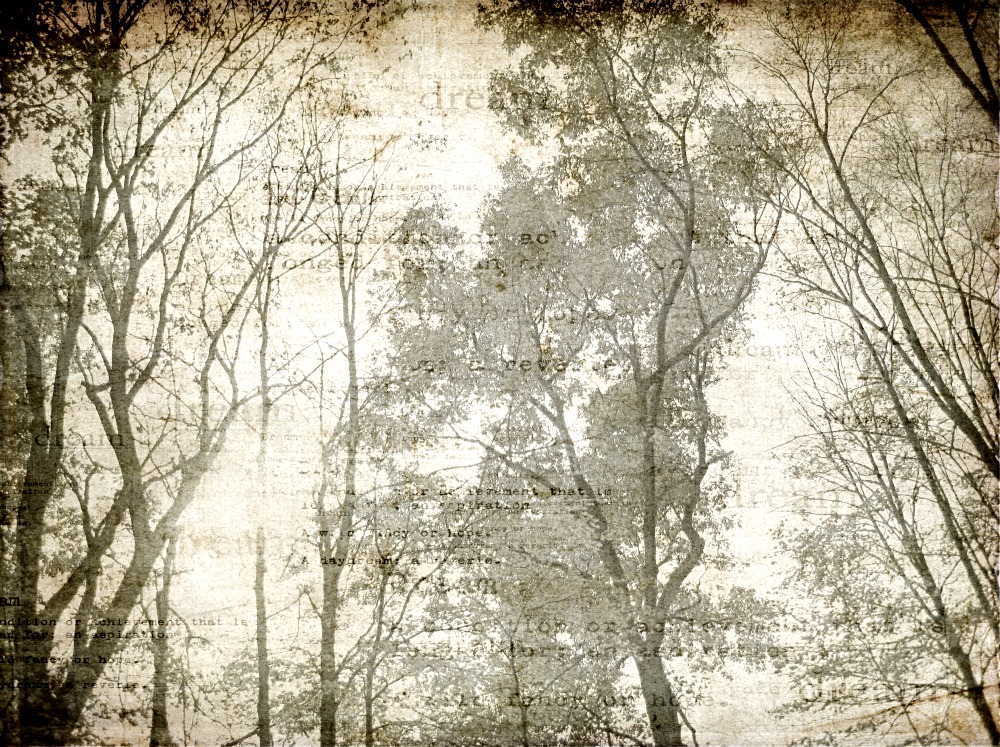
I am still loving Kim's new "dream" texture so I wanted to use it again on this tree photo. And since the challenge for this week was "anything goes" I was excited to share another image with this texture!

I shot this image at a walk trail near my house. I used my point and shoot. I looked up and loved what I saw so I couldn't help but capture it.

Here is the original image (wish I could figure out that mouse over technique!) . . .

Come on over to Kim's blog and check out all the lovelies being shared this week!
Click HERE!

Tuesday, July 19, 2011

Texture Tuesday . . .

I just love Kim's new texture "Aurora"! I am a sucker for anything with script writing. I was flipping through images and found this image of a heart painting I did last year and wondered what it would look like if I added the texture to it! And well, I loved it!

I added one layer in soft light, and muliply. I also decreased the saturation to tone down the pinks.

Would love to hear what you guys think?

As always you can check out all the amazing work this week over at Kim's Blog!

Click HERE!!
xo

Tuesday, July 12, 2011

Texture Tuesday . . . Pink

Its that time again and this week I am not missing it! The challenge was to use anything pink. Well, pink is my fav color so that was not tough for me. I chose this pic I took of my roses that Lou gave me for our anniversary in May. Kim sent out a new texture "aurora" which I love so I knew I would use that for this image. I just love the script in this new texture!

I added the texture in soft light x2 and then multiply. I also took down the saturation to give it a more faded look.

Here is the original image. . .

Check out Kim's blog for all the pink lovelies that are being shared today!
Click HERE!
xo

Tuesday, June 28, 2011

Texture Tuesday

I struggled with the challenge this week, I suppose because my mind is cluttered with emotion for the past few days. We were to use one layer of Kim's golden texture on any photo. I chose this photo I took a couple of months ago of the dogwood tree in our yard. The sun was setting and I just pointed the camera up, snapped and there it was.

I added a layer of golden in soft light and multiply. Then I took down the saturation and played with the levels a bit. Not sure I am liking it but my mind is jumbled today!

As always here is the original image . . .

Hope you will hop on over to Kim's blog and see the other beautiful work for this week. Just click HERE.

Tuesday, June 21, 2011

Texture Tuesday . . . People

People pictures is not my forte but that was the challenge for this week. I cringed at first and then I remembered one of the few I have taken is this photo of my hubby Lou I shot on vaca in Newport. It is rare he lets me take his picture so I snapped a few that day when he wasn't paying too much attention! Candid shots are my favorite.

I processed this image using Kim's granny's cupboard texture which I love. I used one layer of it in overlay, and another in multiply. I then did some adjustments to saturation and levels. The challenge for me with this was the eliminating texture on the face. I am pleased with how this one came out.

Here is the original image. . .

As always come on over to Kim's blog and see what other great work is being shared this week! Click HERE!

Tuesday, June 14, 2011

Texture Tuesday


This week we could use any image using one of Kim's texture's. It was our choice! So I chose to share this photo of the roses my husband gave me for our wedding anniversary a few weeks ago. I used one layer of Kim's "subtly yours" texture in soft light and multiply. I also made adjustments to the saturation to achieve the muted tones. Of course "love" came to mind as I was processing the image!

Here is the original image . . .


Be sure to pop over to Kim's blog and check out all the amazing work being shared this week! Just click HERE!!

Tuesday, June 7, 2011

Texture Tuesday . . . Words

Its that time again friends!! This week's challenge was to use words on your textured image. I took this photo near our house. Beautiful wildflowers that I just couldn't resist. And of course I had to get a macro shot! They are super tiny flowers but I love how macro makes them look super big! I added a layer of Kim's "greyday vintage" and adjusted the saturation to fade the color a bit. As I was processing the image I thought it looked so dreamy and then thought it was the perfect word to add!

Here is the original image. . .

Check out the other amazing texture work over at Kim's blog! You can see lots of inspiration HERE!!

Tuesday, May 31, 2011

Texture Tuesday . . . From The Garden

For this weeks challenge the theme was gardening. I chose this recent photo of azaleas I shot at the NY Botanical Gardens. The word popped into my head as I was processing the image. I used Kim's latest texture stained linen. I love it!

I added 2 layers of stained linen set to soft light and then did some adjustments to the saturation and levels for contrast. I love what this texture does with the muted pink and gray tones.

Here is the original image below. . .

Stop by Kim's blog to see more entries for this week and for more info on how you can join us! Just click HERE!

Tuesday, May 24, 2011

Texture Tuesday . . . Yesteryear


I used this new image I shot this weekend at the botanical gardens for this weeks texture tuesday challenge. The challenge for this week was to use the image of your choice along with Kim's "Yesteryear" texture.

I like the vintage feel this texture gives the photo. I altered it to sepia first and then added the texture using soft light and multiply blend modes.

Here is the original photo below!

As always if you are interested in joining us just hop over to Kim's blog HERE! And if you want to check out the other great entries for this week's challenge click HERE!

Tuesday, May 17, 2011

Texture Tuesday . . . Vintage

This week's theme was to share a vintage inspired photo. I instantly thought of using my city traffic photo. You can see the original below. I used one layer of Kim's "she loves you yeah" texture which is one of my favorites! I have used it on quite alot of my city images. I also altered the image to a sepia tone. Between the sepia and texture I feel like this image was transformed into a vintage shot of NYC!

As always you can join us for Texture Tuesday's! For more info head over to Kim's website HERE! And to see the entries for this week's challenge check out Kim's blog post HERE!

Tuesday, May 10, 2011

Texture Tuesday . . . Orchids


Its that time again my friends! Wow, do the weeks just fly on by! This week Kim' challenge was to share any image we wanted with our choice of texture. I choice this orchid photo I shot at my friend's office. She loves them! I added Kim's Luminous texture. I love it! I have used it quite alot lately! I added one layer in soft light and one in multiply. Then I took down the saturation to get rid of some of the yellow tones. I do like the softness it has with this texture. When I first saw Luminous I knew exactly which photo I wanted to try it with first!

Here is the original photo . . .

If you would like to join us or just check out the other lovely photos for this weeks challenge just hop over to Kim Klassen's blog HERE!!